
If you’ve ever organized an event, you’ve felt it: the program ends, the photos are posted, and then you’re still at your laptop sending certificates one-by-one. Sometimes for hours, sometimes for days.
The part of organizing nobody posts about
The “second shift” is the invisible work that happens after the event: exporting files, renaming, attaching, tracking who already received theirs, and answering follow-up messages for days. It’s time-consuming, easy to mess up, and hard to verify months later.
Why we built this
Dasig.org exists to help people coordinate real work: campaigns, volunteers, operations, and trust. Over time, we realized certificates are part of that same problem space: recognition is meaningful, but distribution is often unnecessarily painful.
We originally built certificate automation for volunteer programs inside Dasig. But the need is broader: schools, student organizations, training programs, nonprofits, local groups, and small teams all run into the same post-event bottleneck. We saw organizers spending 3-5 hours after every event just sending certificates. It is time that could go back into planning the next one.
The goal is simple: recognition should be a celebration, not a repetitive distribution task.
Introducing the Dasig Certificate Generator
The Dasig Certificate Generator is a free standalone tool that lets you generate certificates in bulk, distribute them with one link, and verify them with unique IDs and QR-based verification.
Most tools stop at design. Dasig adds the missing layer for real-world issuance: distribution + retrieval + trust through a public registry page and a certificate verification page.
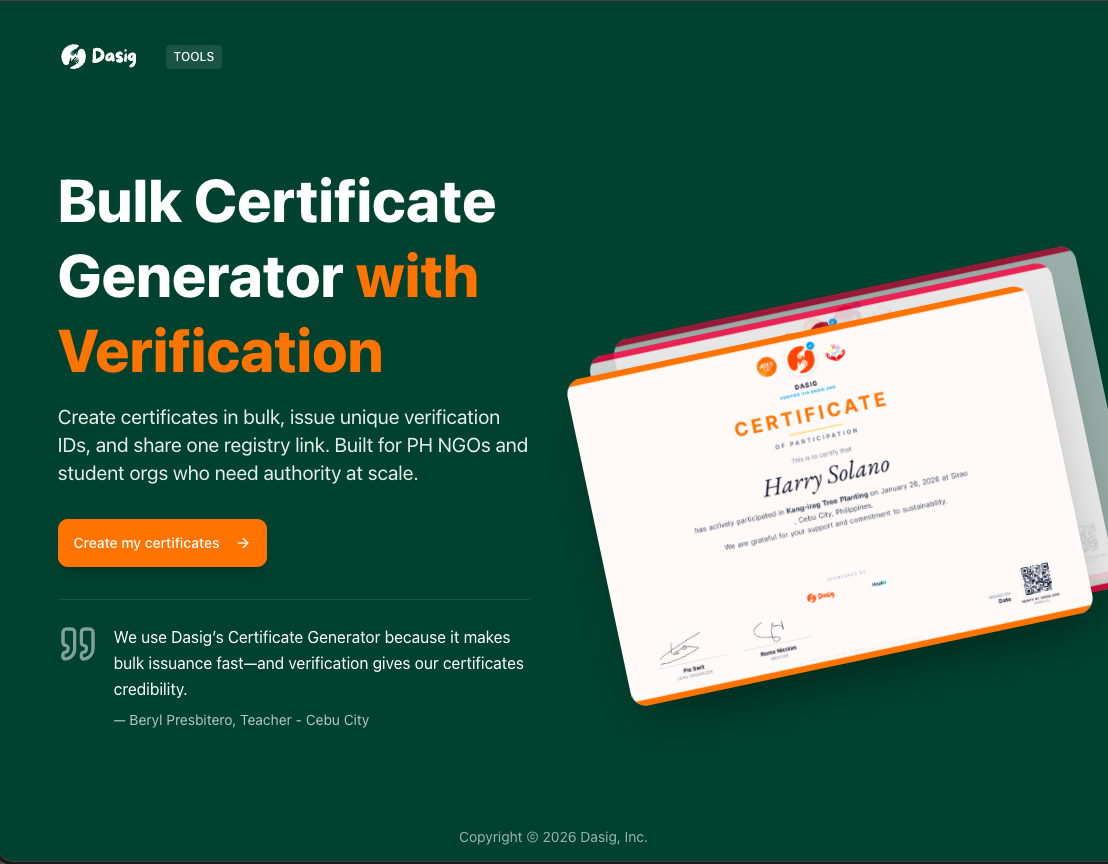
The generator is built to take you from event details → batch generation → a single shareable registry link.
In just a few steps, you can customize your certificate details and branding (colors, signatories, partner logos) and generate a batch for all your recipients.
- Pick a template (or start from a base template).
- Add your event + branding (colors, signatories, partner logos).
- Upload recipients and generate certificates in bulk.
- Share one registry link. Recipients self-serve downloads; QR + verification codes handle trust.
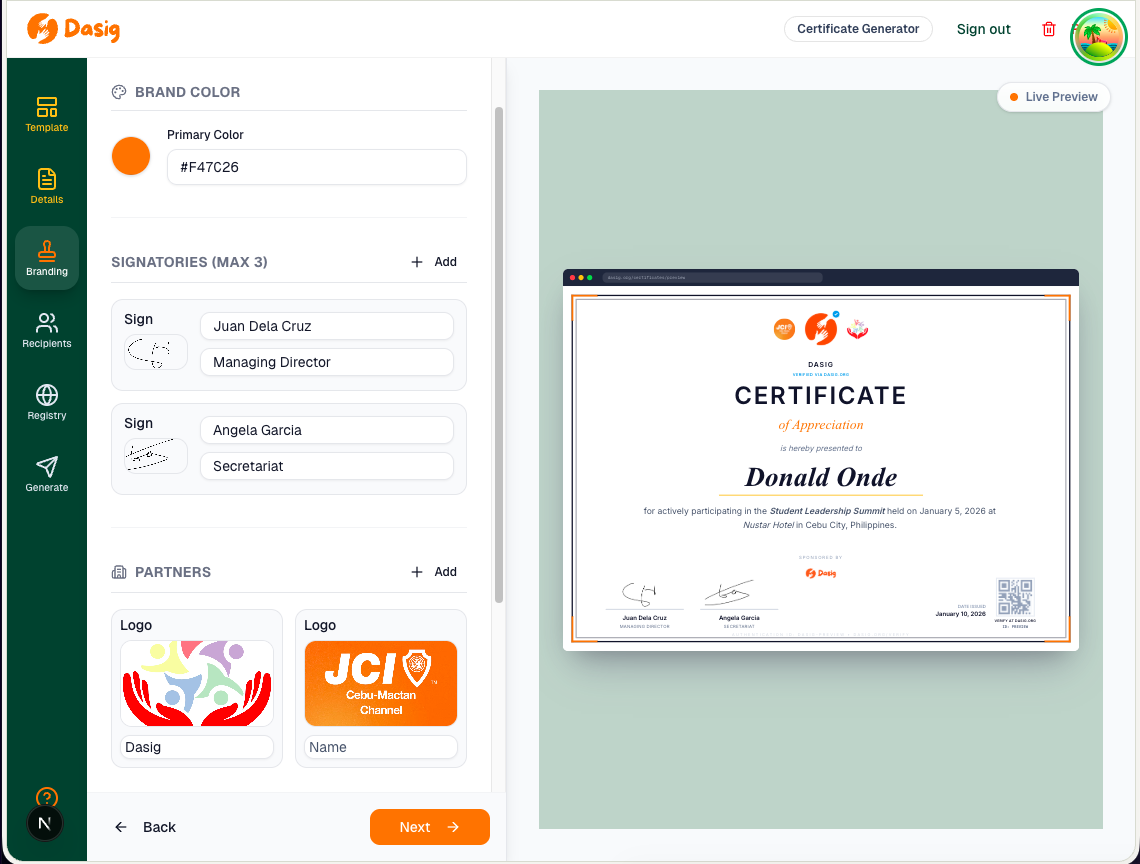
Customize branding once. Then issue consistently across every certificate in the batch.
Who this is for
This tool is designed for anyone who needs to issue certificates at scale, especially when the “distribution phase” is currently manual:
- Student organizations and schools issuing attendance, participation, and award certificates (e.g., 50-200 recipients per event).
- Training programs and workshops issuing completion certificates for batches of learners (e.g., 30-100 participants per cohort).
- Nonprofits and civic groups recognizing partners, volunteers, and community participants (e.g., 20-150 recipients per campaign).
- Teams and offices running internal programs, recognitions, and events (e.g., 10-50 recipients per program).
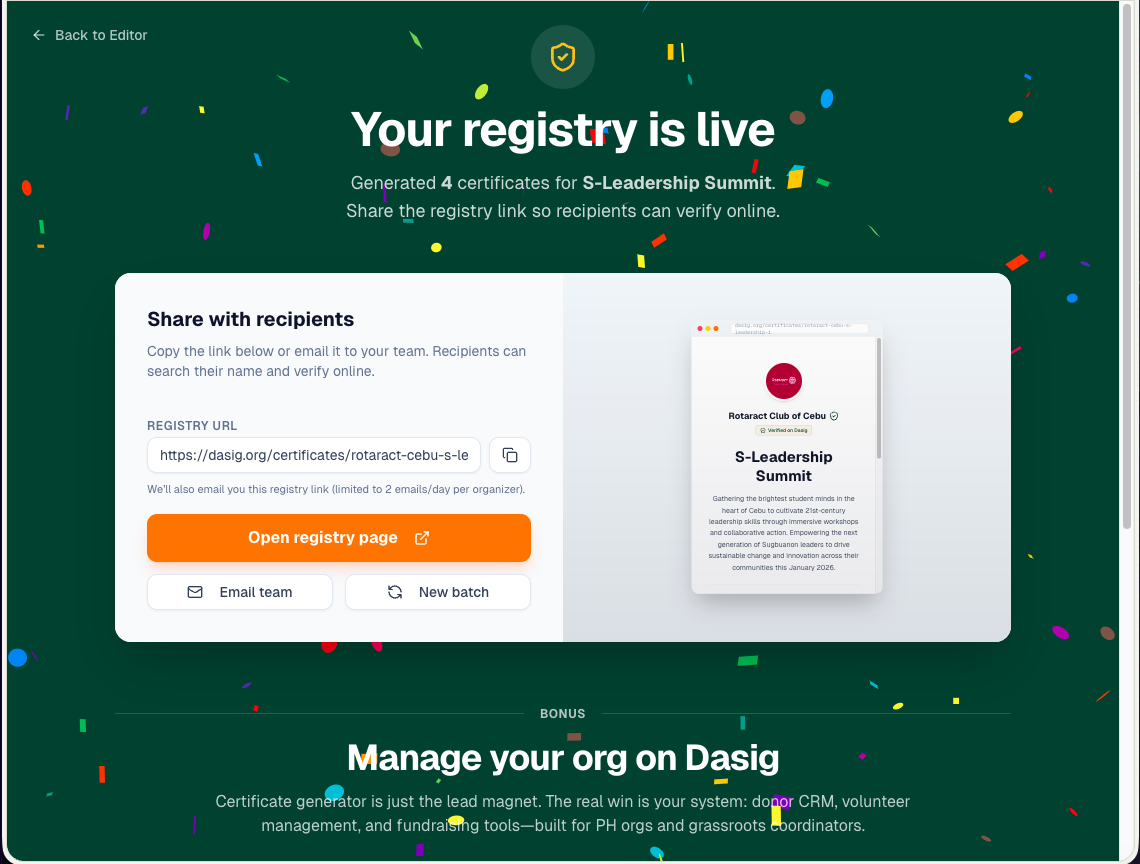
After generation, you get a single registry link you can share once. Recipients handle retrieval themselves.
How it compares to Canva, Credly, and manual workflows
Most certificate workflows start in a design tool (like Canva), then shift into a manual distribution process. Here’s what we see most often and what changes with a registry + verification approach.
Workflow A: Download-and-send (manual)
The organizer exports certificates, renames files, and sends them individually via chat or email. This works for small groups but breaks down quickly at 100+ recipients.
Workflow B: Drive folder links
Some teams upload everything to Google Drive and share a folder link. This reduces sending time, but it often creates privacy issues (anyone can browse files) and doesn’t provide verification.
A registry solves both problems: recipients can search and retrieve their own certificate without browsing everyone else’s files, and the verification page provides a consistent place to validate authenticity later.
Workflow C: Mail merge / email tools
Advanced workflows use email tools to send attachments in bulk. This can be effective, but recipients still lose the certificate later, and verification still isn’t built-in unless you create a separate system.
Where Canva and Credly fit
Canva is excellent for design. Credly and similar platforms focus on digital credentials(often badges) and are popular in enterprise training ecosystems. Dasig focuses on the missing layer in most local certificate workflows: distribution + retrieval + verification.
If you already design certificates in Canva, you can keep that workflow and use Dasig for the parts Canva doesn’t solve: bulk issuance, a single registry link, and QR-based verification.
Bulk generation: generate certificates in one run
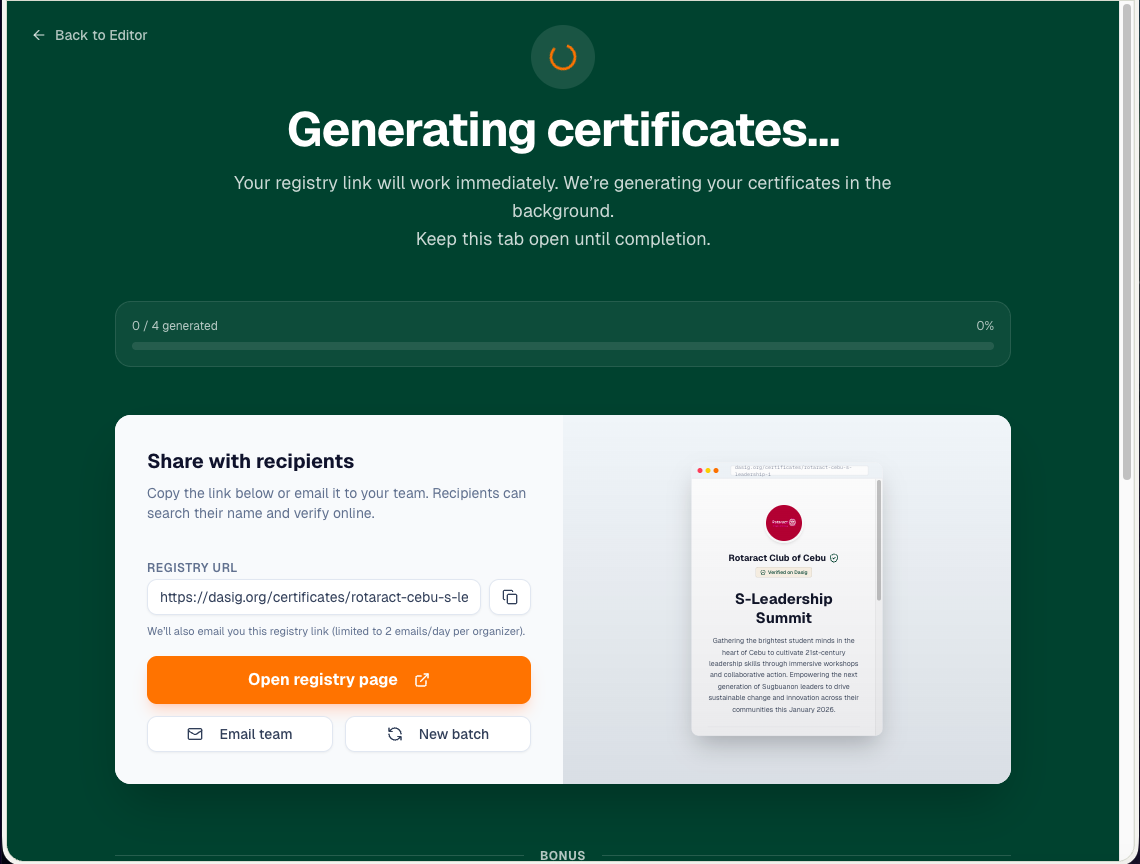
Upload your recipients, generate the full batch, and let Dasig handle the repetitive work. This is built for real-world runs where you might have dozens (or hundreds) of names to issue at once.
Registry page: One link, self-serve access
Instead of sending certificates one-by-one via email, Dasig generates a single registry link for your entire batch. Recipients can visit the link, search for their name, and download their certificate instantly. No email required, no follow-ups needed.
Quick mental model: the registry is for retrieval (find + download), while the verification page is for trust (prove it’s authentic).
This is especially powerful for large events where sending individual emails isn't practical. Share the registry link once (via social media, group chat, or event website), and recipients handle the rest themselves.
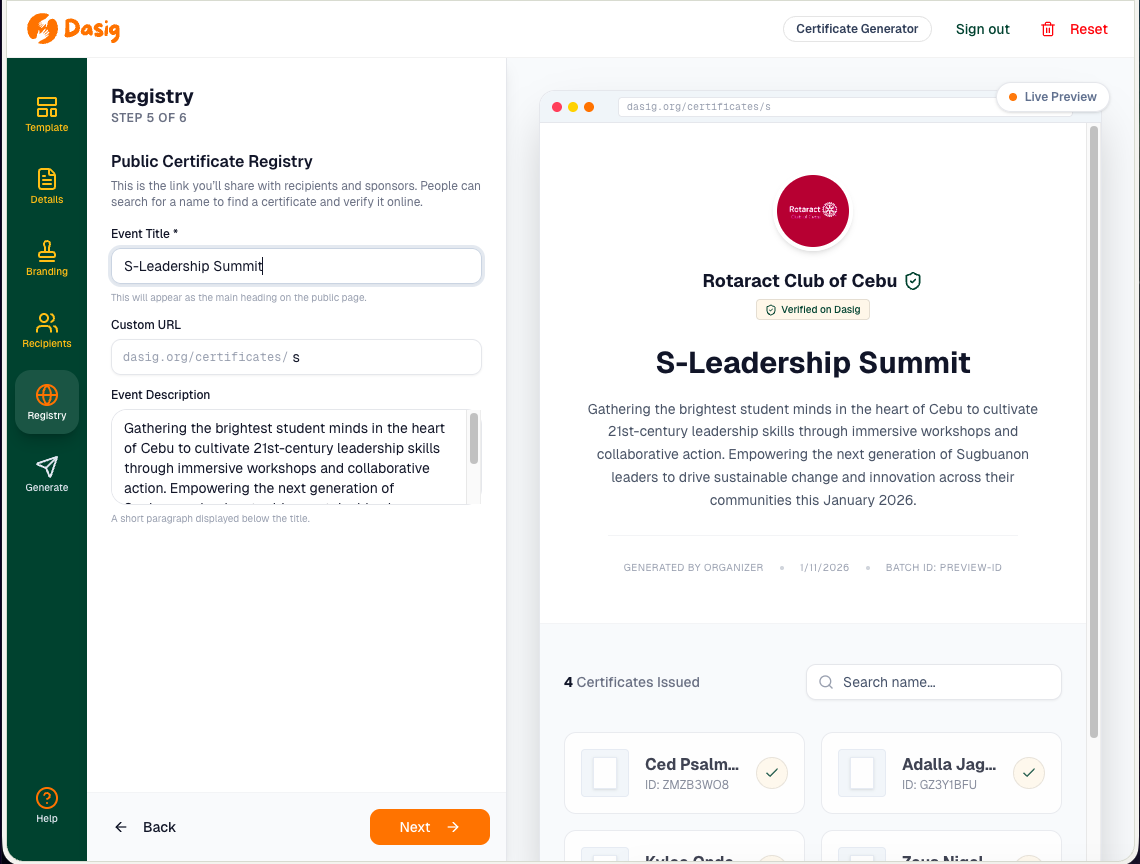
Share one registry URL to the whole audience. No one-by-one sending required.
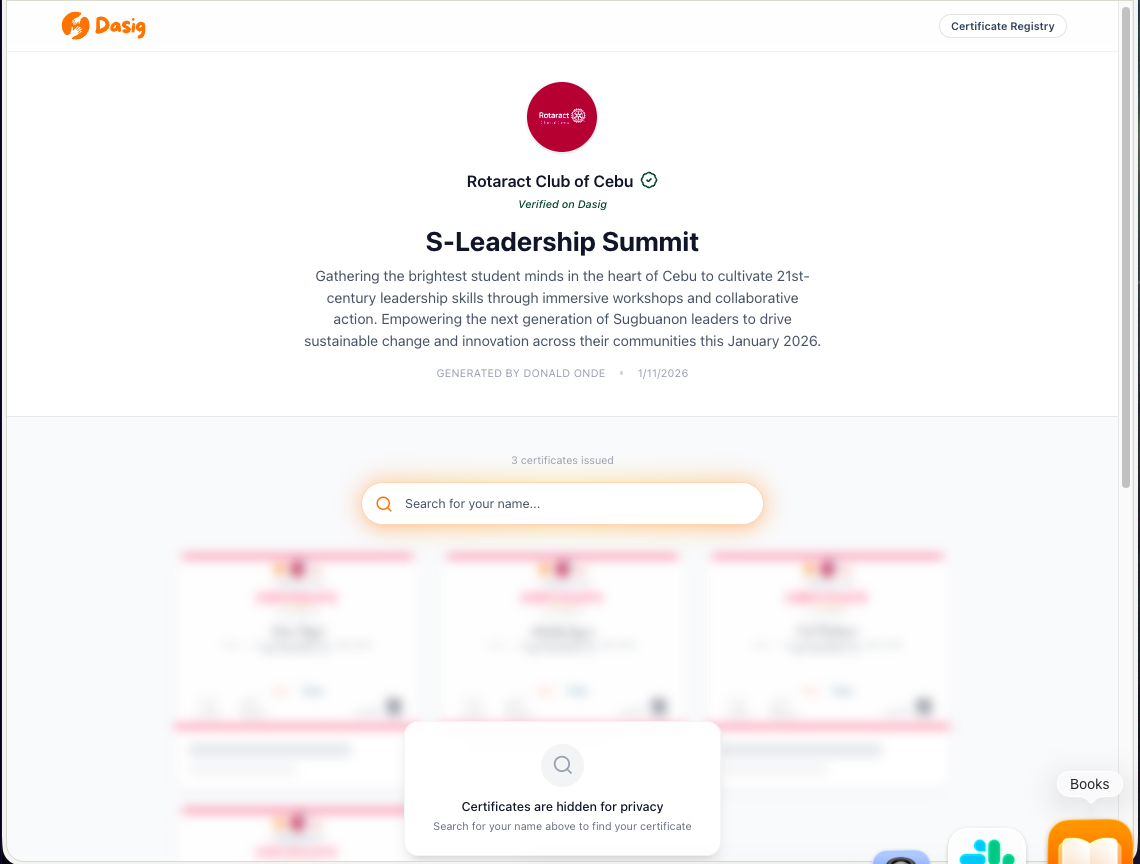
What recipients see: search your name → download your certificate. Organizers stop being the help desk.
Certificate verification and download: QR-based authentication
Every certificate includes a unique verification code and QR code. Recipients can verify their certificate's authenticity by scanning the QR code or entering the verification code on our verification page. This is crucial for certificates that may be checked months or years later: during HR screening, internship applications, scholarship validation, partner onboarding/validation, or audit and compliance reviews.
The verification page displays the full certificate details, shows the issuing organization (with verification badge if applicable), and allows recipients to download a high-quality PNG version. This creates a trust layer that most certificate tools skip. Dasig certificates are credible and easier to validate.
For organizations on Dasig.org, we also support organization verification. When an organization is verified, the registry and verification pages can display that badge. This makes it easier for reviewers to trust the issuer at a glance.
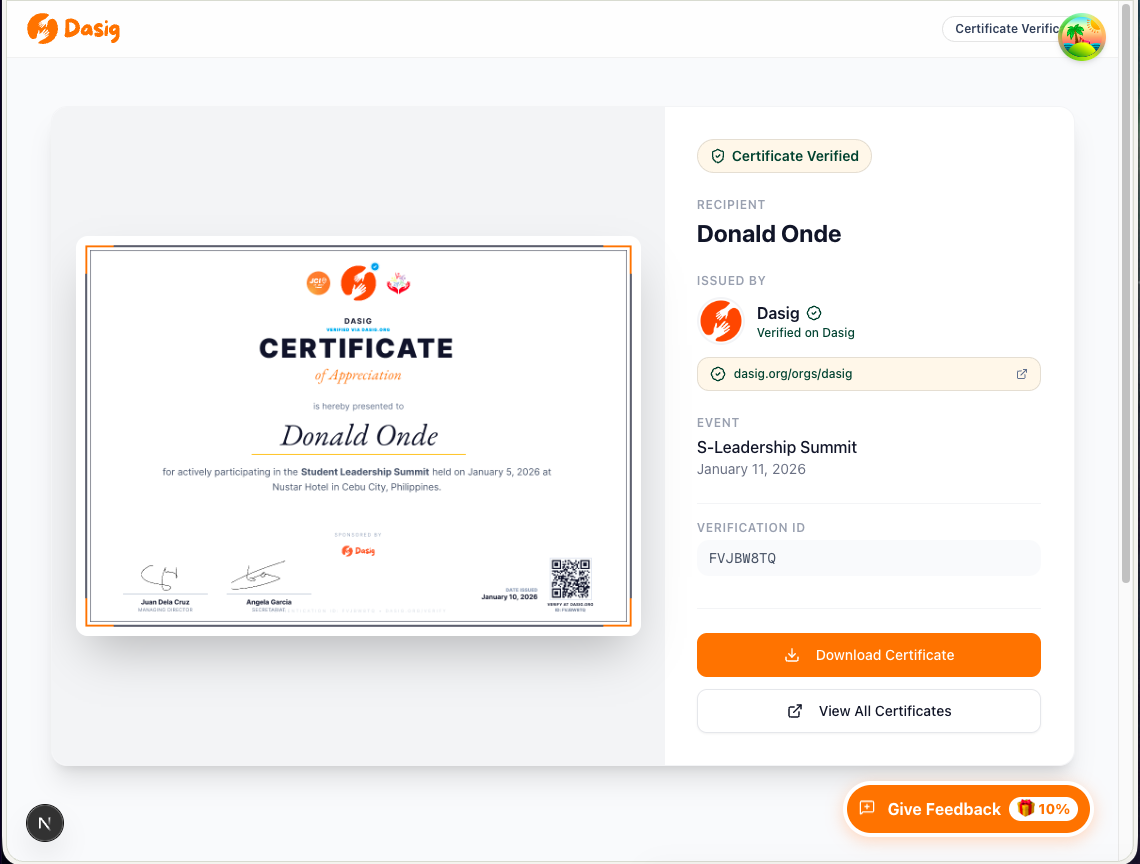
A single verification link to validate authenticity and download a clean, high-quality certificate file.
FAQ
Is the certificate generator free?
Yes. The standalone certificate generator is free to use with no limits on the number of certificates you can generate.
Can I still design in Canva?
Yes. Canva remains a great design tool. Dasig adds the distribution and trust layer: bulk issuance, a single registry link, and QR verification.
What file formats are supported?
Certificates are generated as high-quality PNG files. Recipients can download them directly from the registry or verification page.
Is there a limit on how many certificates I can generate?
No. The certificate generator is free with no limits on batch size or number of batches.
Can I customize the certificate design?
Yes. You can customize colors, add signatories, include partner logos, and adjust text. If you need a specific design style, use the "Request a template" feature in the tool to submit your design requirements.
Help us build the template library
We're launching with a small set of templates and improving fast. If your organization needs a specific certificate style or layout, use the in-app "Request a template" flow to submit your design details and an optional screenshot. Your request helps us prioritize what to build next.
What's next
We're continuing to expand templates and improve custom design support. The long-term direction is to reduce friction between design and distribution. So organizers can keep their preferred design workflow while still benefiting from registry distribution and verification.
Try the tool, then tell us what would make it better for your organization. Template requests are especially helpful because they reflect real-world needs.
Recognition should be a celebration, not a spreadsheet task. We hope this saves you hours, reduces follow-ups, and makes verification effortless.