About Dasig Free Bulk Certificate Generator Hardware and Software

Bulk Certificate Generator with Verification
Dasig Certificate Generator is a free bulk certificate tool for Philippine NGOs, schools, and event organizers — create and issue verifiable certificates from any device in minutes.
 Official Integration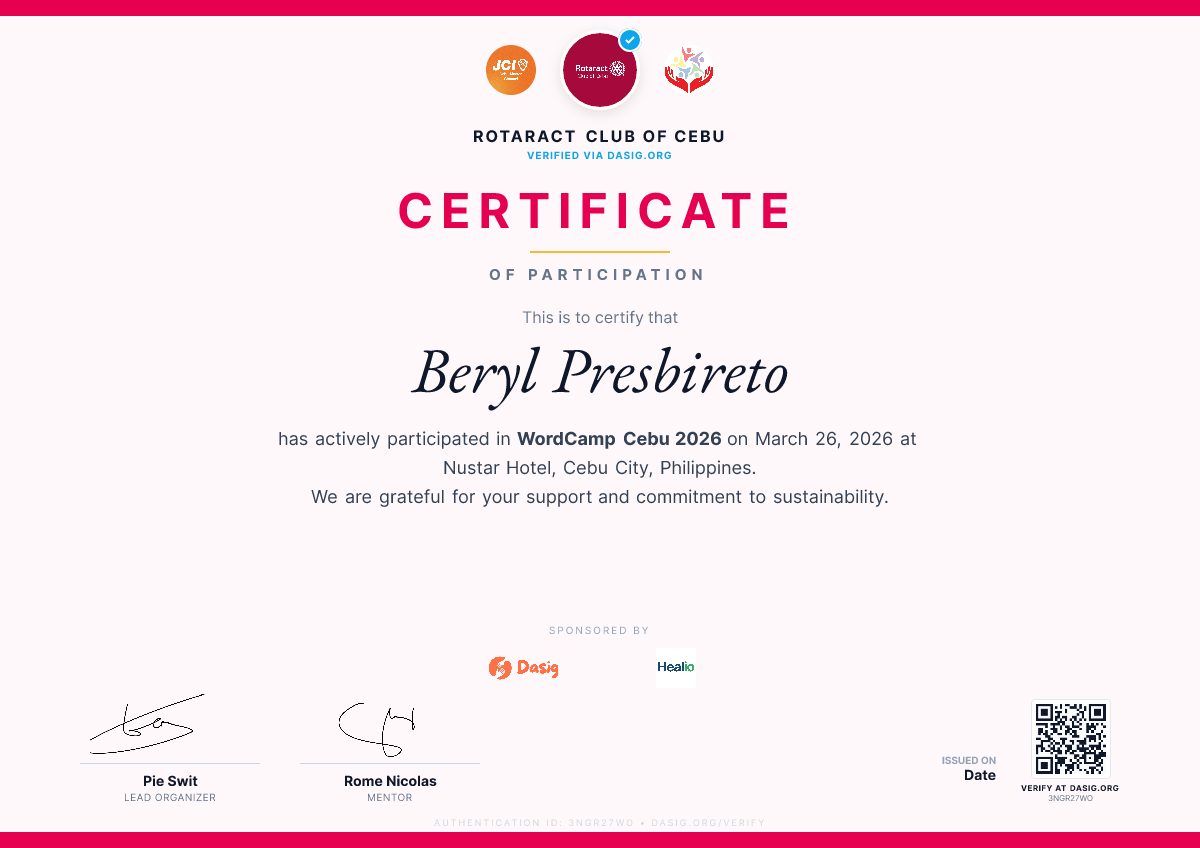
Discover More
Trusted by Philippine organizations
.svg?dpl=dpl_C1RtcfyPbBygCC1oQEdgahzA89Jr)
.png?dpl=dpl_C1RtcfyPbBygCC1oQEdgahzA89Jr)
Step by step
Mobile-readyFrom Canva to certified
in under 5 minutes.
No downloads. No Photoshop. No manually typing 200 names.
Connect Your Design
Import directly from Canva — or upload your own.
Sign in with your Canva account to browse and import your designs directly inside the tool. No exporting, no file management. Or skip Canva entirely and upload a high-resolution PNG background.
Official Integration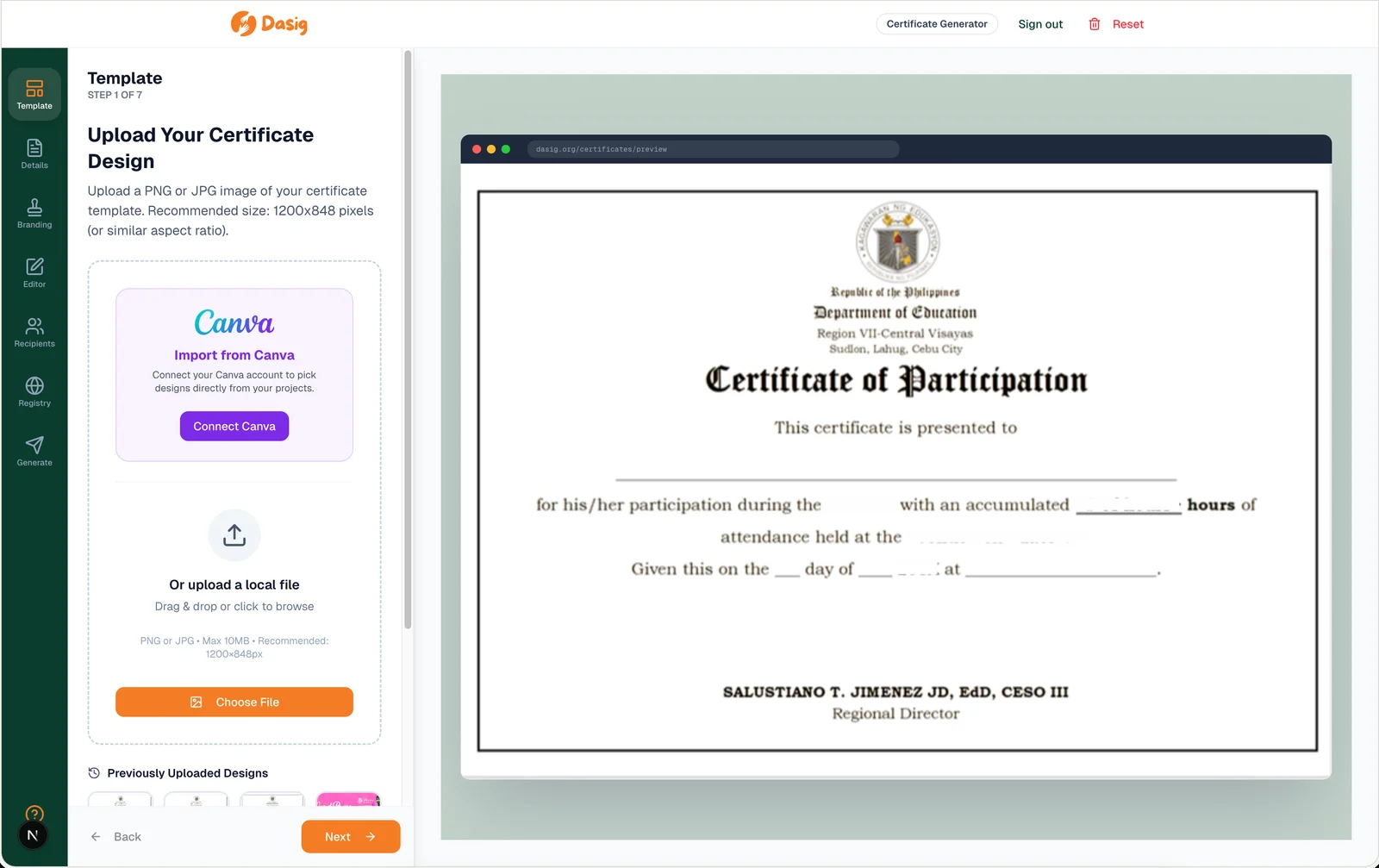
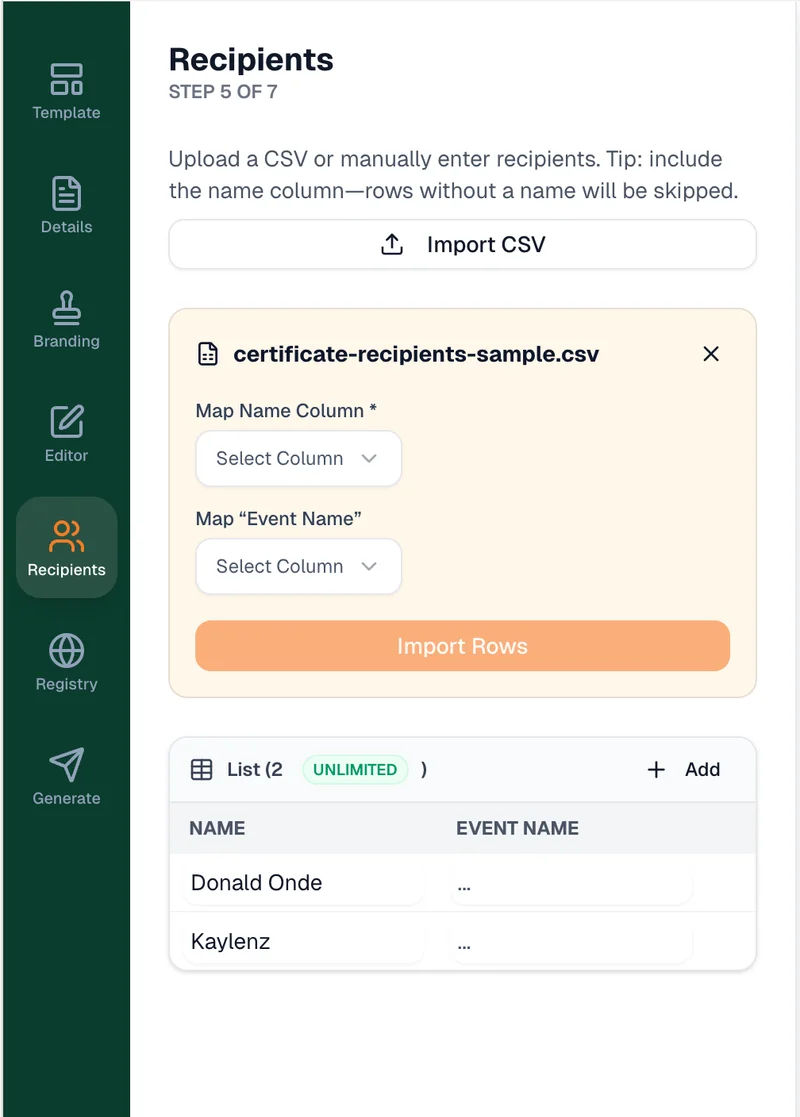
Upload Recipients
Upload a CSV, position names — done.
Upload your spreadsheet of participants. Drag the name field onto your certificate design exactly where you want it. Add custom fields like award title, hours completed, or course name — each one maps to a column in your CSV.
- Name overlay with pixel-perfect positioning
- Custom fields: title, hours, course, date
- Supports signatures & org logo overlays
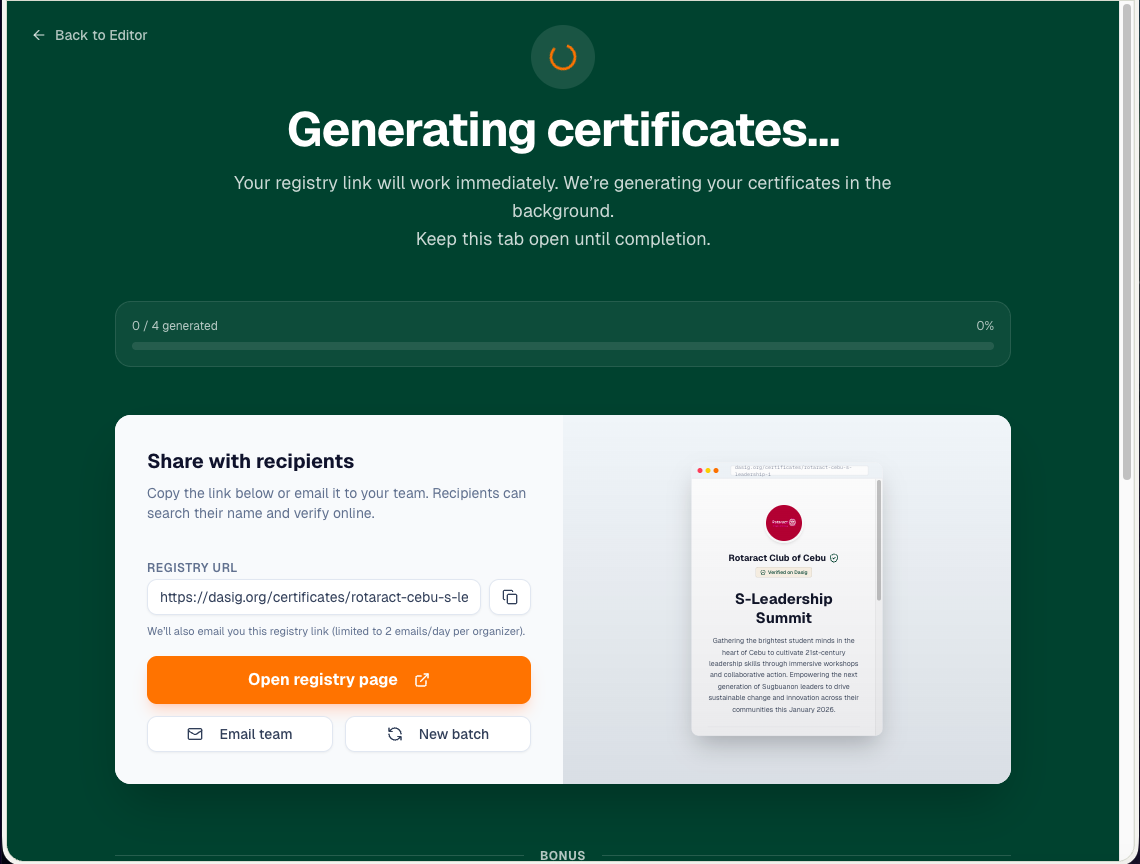
Bulk Generate
Click Generate. 200 certificates in seconds.
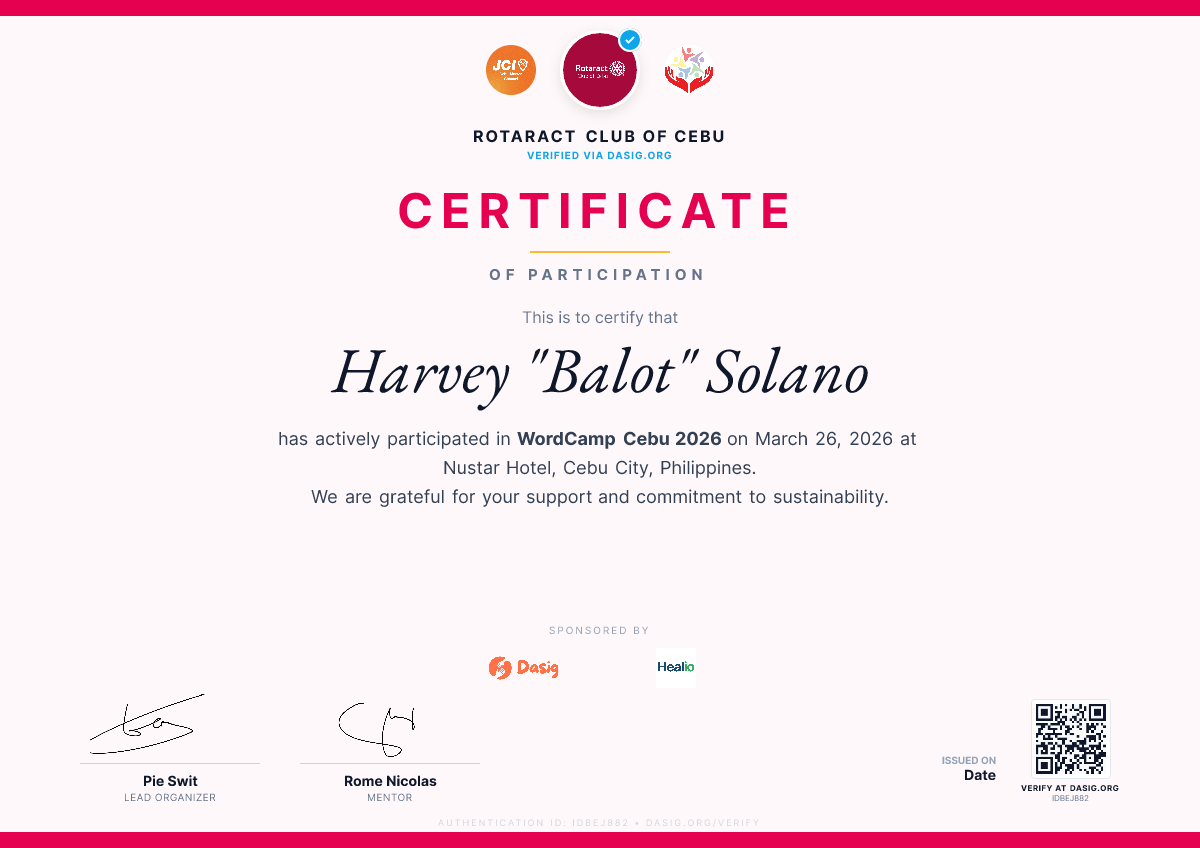
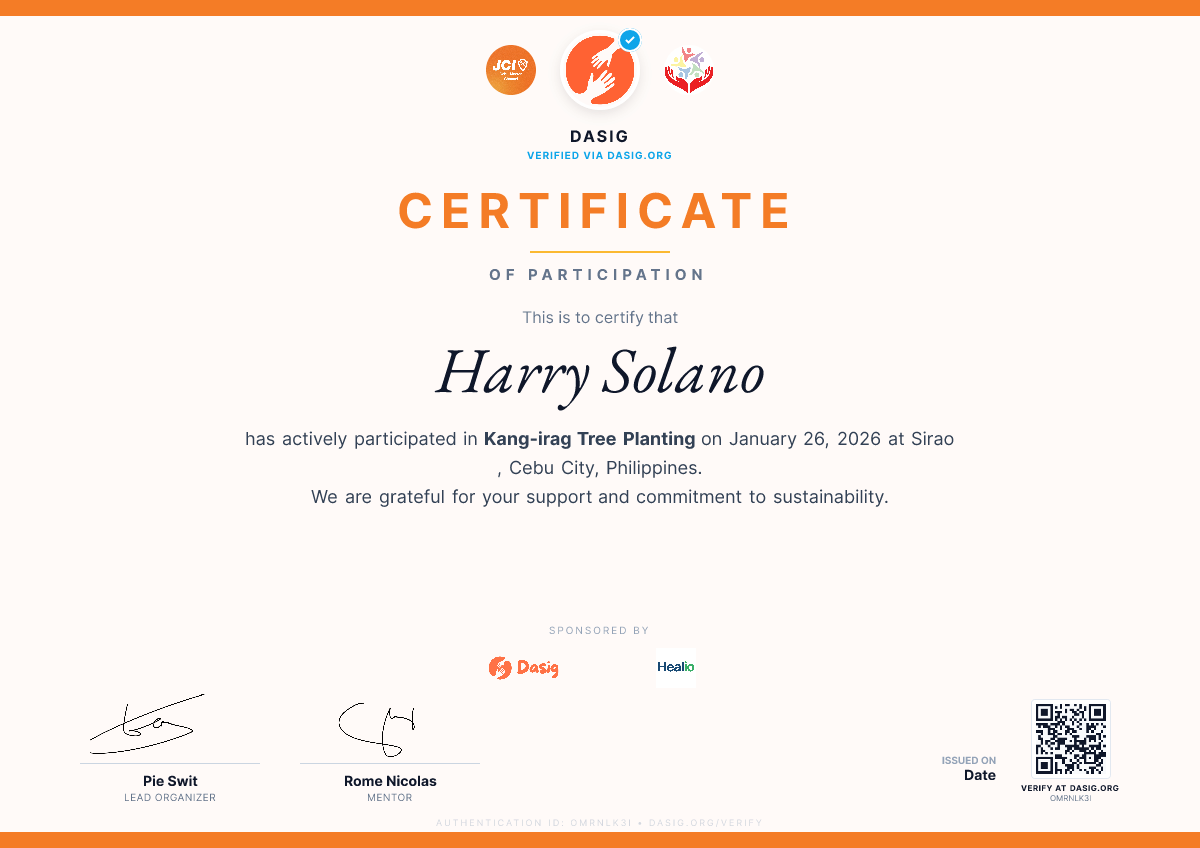
Dasig generates every certificate simultaneously — each one personalized with the recipient's name and fields from your CSV. Each certificate is automatically assigned a unique verification ID and QR code.
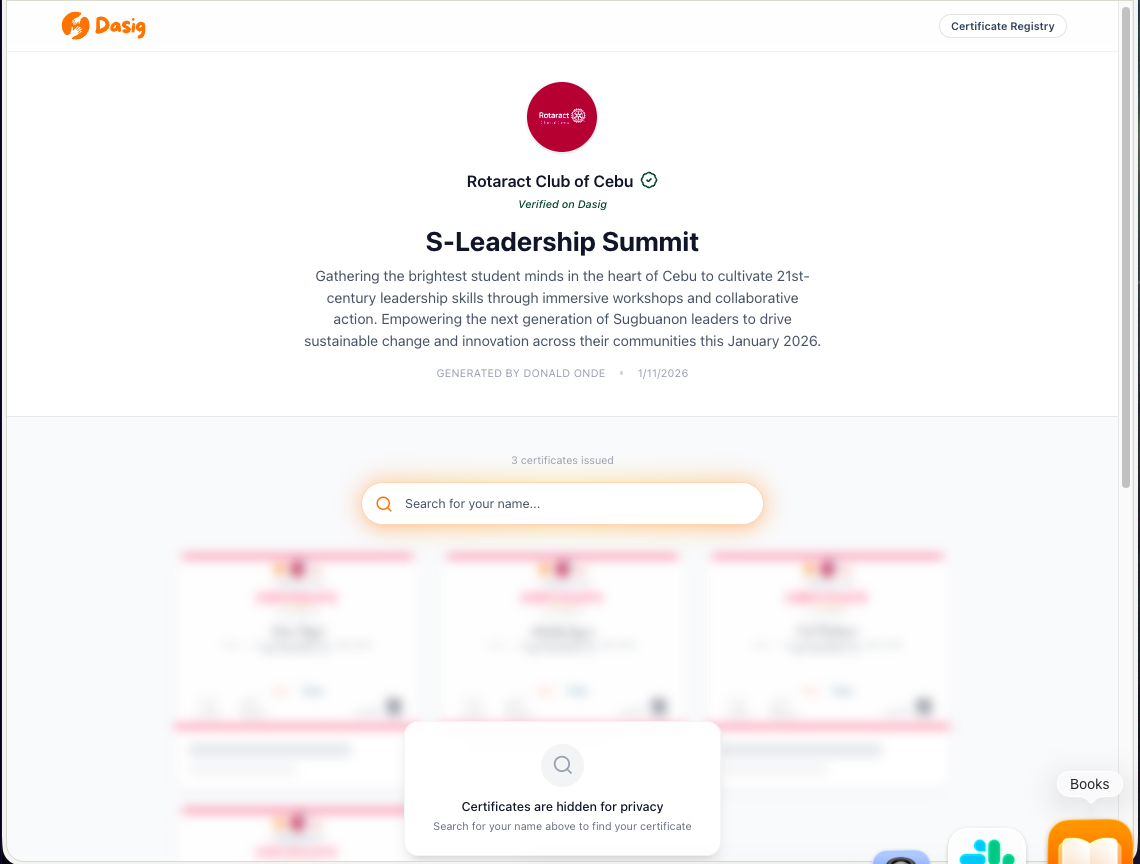
Share One Link
One link. Every recipient self-serves.
Post one registry link to your Facebook group, school page, or event chat. Each recipient searches their name and downloads their individual certificate. No mass emailing. No attachments.
dasig.org/certificates/your-eventBuilt-in Trust
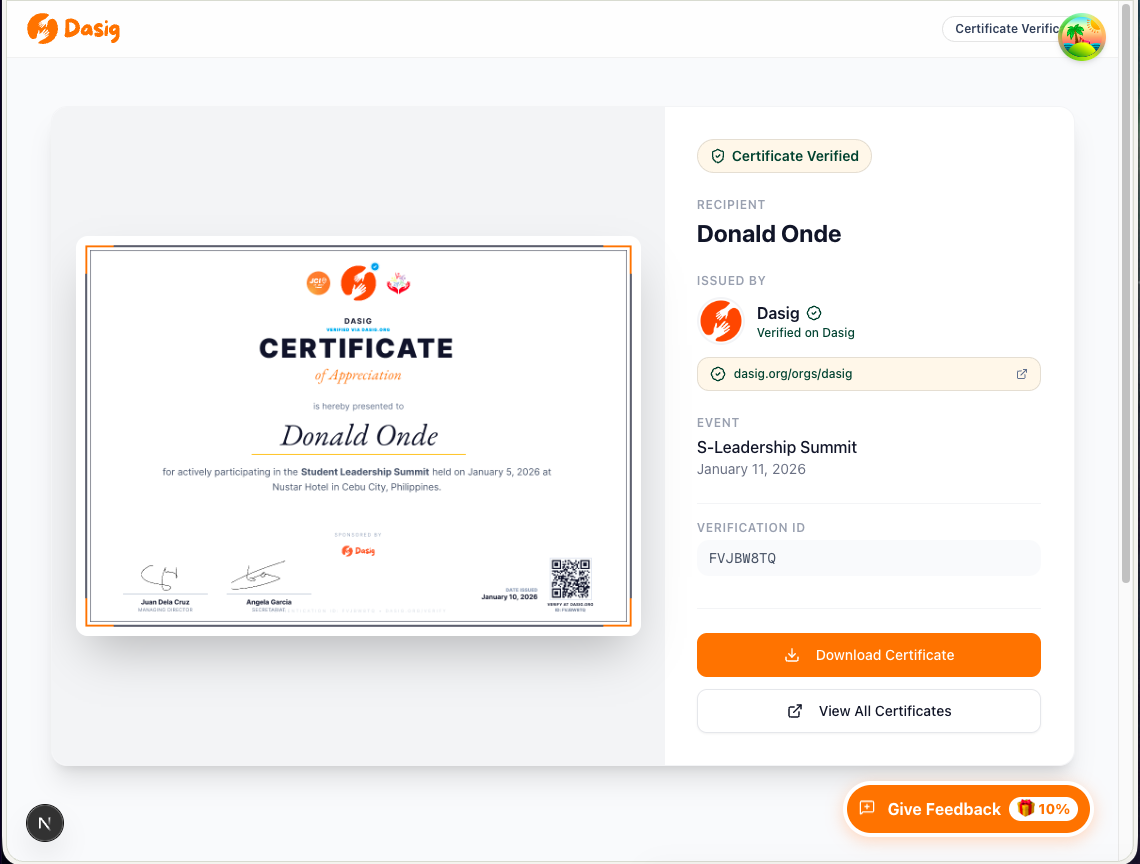
Every certificate is verifiable.
By anyone. On any device.
Each certificate gets a unique verification ID and an embedded QR code. Scan it and you land on a public verification page — showing the recipient's name, event, and issuing organization. No account needed to verify.
QR code on every certificate
Recipients can share their QR and anyone can verify it by scanning.
LinkedIn-shareable verification link
Works natively with LinkedIn's certification fields — reads as a verified credential.
Privacy-first public registry
Names are blurred by default in the public registry. Only the recipient can reveal their full record.
Credentials that travel
A free LinkedIn certificate generator, not just an image maker
Most certificate tools hand you a PNG. A PNG cannot be verified, so on LinkedIn it is a picture of a claim rather than the claim itself. Dasig gives every certificate a public verification page at dasig.org/verify/<code> — which is exactly what LinkedIn’s Credential URL field is for.
That page is marked up as an EducationalOccupationalCredential with the recipient, the issuing organization, and the date, so a recruiter, a school, or an AI assistant checking the credential finds structured proof instead of a JPEG.
How to add a Dasig certificate to your LinkedIn profile
- 1Open your certificate from the registry link the organizer shared, and copy the verification URL.
- 2On LinkedIn, go to your profile and choose Add profile section → Recommended → Add licenses & certifications.
- 3Enter the certificate name and set Issuing organization to the group that issued it.
- 4Paste the verification URL into Credential URL, and the verification code into Credential ID.
- 5Save. Anyone viewing your profile can click through and confirm the credential is real.
For organizers issuing to volunteers and trainees
Certificates that recipients can actually put on a profile get shared, and every share carries your organization’s name. Issue them in bulk from a CSV and each recipient gets their own verifiable code — at no cost, with no account required.
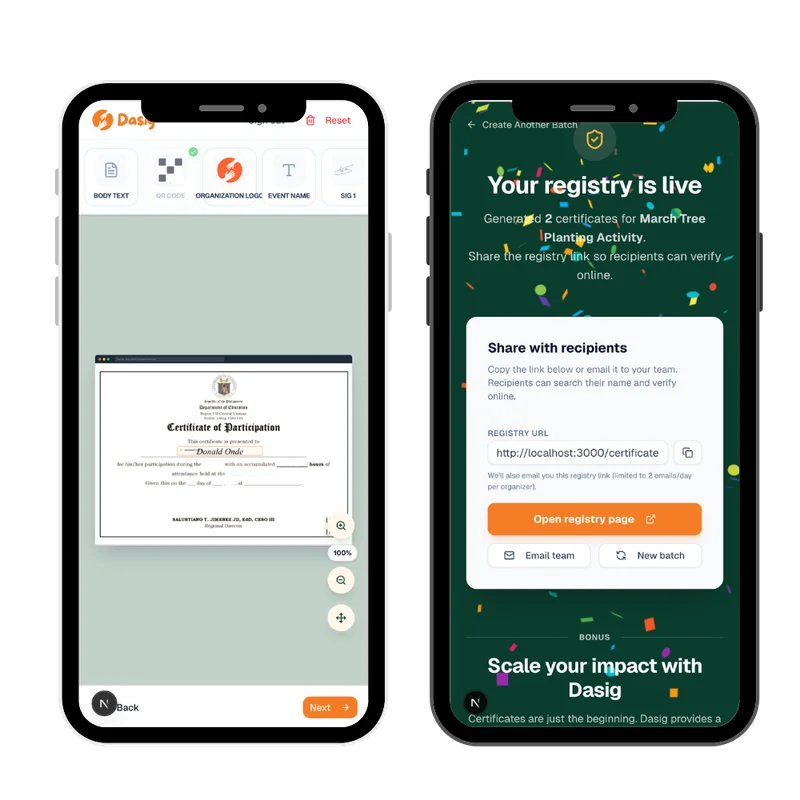
Made for the field
Issue certificates from your phone. Not from your laptop at midnight.
Certificate issuance shouldn't be a "second shift" — done after everyone else has gone home.
Full wizard on mobile
Connect Canva, upload your CSV, set field positions, and generate — no desktop required.
Done by the time you get home
Generate and share your registry link before you even leave the venue.
Recipients get it instantly
One public link. Every participant downloads their own verified certificate at their own pace.
Who uses Dasig Certificates
Built for Philippine organizers.
Whether it's the graduation season, a summer team building, or a community recognition ceremony — Dasig makes credentialing effortless.
Schools & Student Councils
Handle recognition day, graduation honor rolls, and club certificates in one batch. Share one link with students and parents.
Civic Clubs & NGOs
Issue professional volunteer certificates and participation certificates that can be verified and shared on LinkedIn.
Corporate Teams
Team building completions, training program certificates, and employee appreciation events — all documented with QR verification.
Event Organizers
From seminars to hackathons, generate speaker and participant certificates that attendees can independently download and verify.
LGUs & Government
Run community livelihood programs, skills training, and disaster relief operations with issued, verifiable credentials.
Volunteer Groups
Document volunteer hours and contributions with individual, scannable certificates your members can proudly share.
Frequently Asked Questions
Everything you need to know about bulk generating certificates.
Yes, the Dasig Bulk Certificate Generator is 100% free with no hidden fees or watermarks. We built this to support Philippine civic groups and event organizers. No account is required.
No. Everything runs in your web browser. Just open dasig.org/certificate-generator and start — no downloads required.
Dasig has an official Canva Connect API integration. You log in with your Canva account directly inside the tool, browse your designs, and select one — no downloading or manual exporting required. Dasig exports your design at 2× resolution and overlays each recipient's name and any custom fields automatically.
We strongly prioritize privacy. Recipient names are obscured by default in the public registry to protect their identities. Only the unique verification ID remains publicly visible.
Yes. Every certificate has a unique code and embedded QR. Scanning it goes to a public verification page confirming the recipient's name, event, and issuer. Structured with EducationalOccupationalCredential JSON-LD for full search engine and LinkedIn compatibility.
You share one registry link (e.g. dasig.org/certificates/your-event). Participants search their name and download their certificate directly — no mass emails, no attachments.
Yes. Each certificate has a public verification page at dasig.org/verify/[code], which is what LinkedIn's Credential URL field expects. Add the certificate under Licenses & certifications, paste the verification URL into Credential URL and the code into Credential ID, and anyone viewing the profile can confirm it. Unlike a plain image, the page is marked up as an EducationalOccupationalCredential so employers and AI assistants find structured proof.
Ready to issue your next batch?
Start generating beautiful, QR-verified certificates for free. No account. No credit card. No busywork.
Free forever for small events · No credit card required
COPYRIGHT © 2026 DASIG, INC.